e333 App Download for Android Phones

The e333 app puts the full games lobby on your handset as one 28 MB file. It is free, runs on Android 6.0 and newer, and installs in under a minute. Download it here, then sign in with the account you already use on the site.

e333.apk · 28 MB Version 3.6.0 18+ · Play Responsibly
QR code that opens the e333 app download page on a phone

Reading this on a laptop? Point your phone camera at the code to open this page on the handset and start the download there.

What you get once the file is on your phone

Six things the handset build does differently from opening the site in Chrome. All of them work on a mid-range Android phone over a normal mobile data connection.

The whole 3,600-game lobby, not a cut-down version

Slots from PG Soft and Red Tiger, Ezugi live tables, crash rounds and fishing shooters load in the same grid you see on desktop. Search by provider, filter by type, and the game you played last sits at the top of the list.

bKash and Nagad without a detour

Deposits open in the wallet app you already have. Send from bKash, Nagad, Rocket or a bank account and the balance normally lands inside 6 minutes. Withdrawal requests to the same number clear in roughly 25 minutes once your account is verified.

Picks up after a dropped line

Dhaka traffic and patchy mobile data do not end your session. When the signal returns, the app reloads the round you were on with the same balance, no re-login and no lost bet slip.

Lighter art, fewer downloads

Game artwork is cached on the handset, so replaying a slot you already opened pulls very little data. Load times on a slow connection are noticeably shorter than in the mobile browser.

Cricket scores beside the bet slip

BPL and international T20 fixtures sit on the same screen as your open bets, so you can follow a chase without switching apps. Cash-out stays one tap away while the match is live.

Updates that keep your login

When a new build is ready the file is 28 MB and installs straight over the old one. Your account and balance stay exactly as they were, and there is nothing to register again.

Will your handset run it?

The e333 app is a single Android package, not a Play Store download. Everything you need to check before tapping install is in the table below.

File: e333.apk · 28 MB Download APK
e333 app version and system requirements
ItemDetails
App version3.6.0
File namee333.apk
File size28 MB
Minimum Android6.0 or newer
Last updated10 November 2026
PriceFree
LanguageEnglish and Bangla
AccountYour e333 login, or register inside the app

Keep roughly double the file size free before you start, so Android has room to unpack the package. If your phone is below Android 6.0, use the mobile site instead; every game in the lobby loads there too.

Where the file comes from, and what it can reach

An APK installed outside the Play Store deserves a second look. These four points cover the checks that actually matter.

One address, one signed file

The APK on e333.vu is the build the site ships. Files passed around in Telegram groups or short links are repacked copies, and nobody can vouch for what was added to them. Bookmark this page and take the download from here each time.

Only two permissions matter

The installer asks for storage, so it can cache game art and write future updates. It does not need your contacts, SMS or call log. If a build you downloaded asks for those, it is the wrong file; delete it and download again from this page.

Login happens on the e333 page

You sign in through the same secure login page as the website, loaded inside the app. Live chat staff never ask for your password or a bKash PIN. Treat any message that does as fraudulent, close it, and report it in chat.

Money leaves through your wallet

Deposits and withdrawals are approved inside bKash, Nagad or Rocket, where you type your own PIN. e333 never sees it. Payouts return to the number you paid from, which is why document checking takes about 12 hours before your first withdrawal.

Five screens from download to your first spin

The menu names below follow stock Android. Samsung and Xiaomi phones use the same switches under slightly different labels, usually inside Settings then Apps.

  1. 1

    Allow installs from your browser

    Open Settings, go to Apps, then Special app access, then Install unknown apps, and pick the browser you are using. Turn the switch on. On older Android builds the same option sits under Security, labelled Unknown sources.

  2. 2

    Download the APK

    Come back to this page and tap Download APK. The file e333.apk, 28 MB, saves to your Downloads folder. Keep the screen on until it finishes, because a locked phone can pause the transfer in some browsers.

  3. 3

    Run the installer

    Open Downloads, tap e333.apk, then Install. Play Protect may show a warning for any app installed outside the Play Store; choose Install anyway. The install itself takes a few seconds on most handsets.

  4. 4

    Sign in or open an account

    Tap Open. Existing players go through the e333 login page. New players can register inside the app in a couple of minutes with a mobile number and a password, then deposit from ৳450.

  5. 5

    Switch the permission back off

    Once the icon is on your home screen, return to Install unknown apps and turn the browser switch off. Leaving it on lets any downloaded file install itself, which is how most unwanted apps end up on a phone.

On an iPhone there is no APK, but there is a home-screen icon

  1. Open Safari and go to e333.vu.
  2. Tap the Share button in the toolbar.
  3. Scroll the list and choose Add to Home Screen.
  4. Name it e333 and tap Add. The icon opens the full mobile lobby in one tap.

Slots, live tables and crash rounds in one lobby

The app opens on the same lobby as the desktop site, sorted by what is running now. A tea break suits a five-minute crash round; a full evening suits a live dealer table.

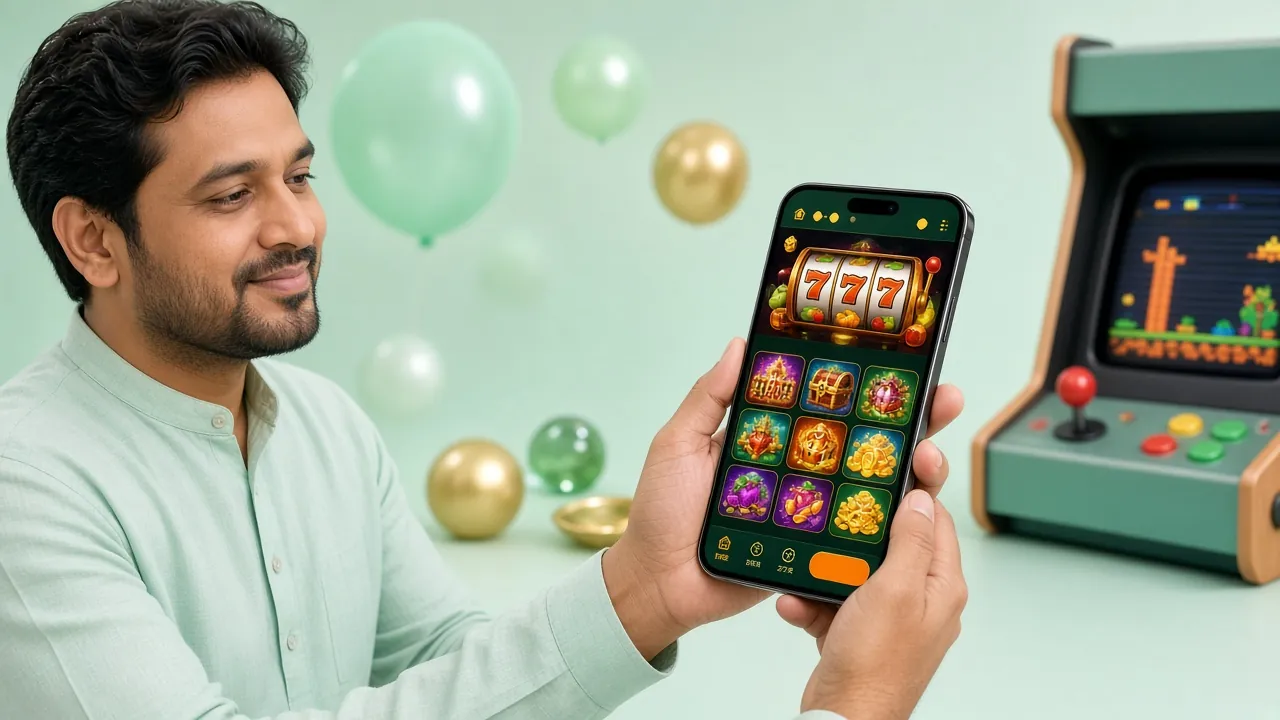
Player holding a phone showing the e333 app lobby with slot game tiles on screen
  • SlotsPG Soft, Red Tiger, Habanero and JDB titles, with spins starting at ৳1.
  • Live casinoEzugi tables streamed with a real dealer; Mini Baccarat opens at ৳5.
  • CrashShort rounds that settle in seconds, kept in their own tab.
  • CricketBPL and international markets, pre-match and in-play.
  • FishingShooters such as Lucky Gods Fishing, from ৳5 a shot.
Lucky Gods Fishing game art with golden fish and a fishing cannon over blue water RTP 96.8% Play Now

Fishing

Lucky Gods Fishing

Red Tiger · from ৳5

Dragon Hatch slot tile showing a glowing dragon egg among cracked rocks RTP 97.4% Play Now

Slots

Dragon Hatch

PG Soft · from ৳2

Looking for the full list?

Every category, provider and bet limit sits on the casino page, including the live tables and the fishing section.

Open the Casino Page
Game rules: RTP and betting limits inside the e333 app
Game Type Provider RTP Min bet Max bet
Lucky Gods FishingFishingRed Tiger96.8%৳5৳10,000
Honor of JumaSlotsEzugi95.2%৳5৳5,000
Fortune Gems 2SlotsRed Tiger95.2%৳1৳10,000
Diamond TycoonSlotsHabanero96.2%৳2৳5,000
Mini BaccaratLive CasinoRed Tiger96.4%৳5৳50,000
Dragon HatchSlotsPG Soft97.4%৳2৳10,000

App or mobile browser: pick per situation

Both routes reach the same account and the same balance. The difference is in how many taps and how much data it takes to get there.

Comparison of the e333 app and the mobile browser version
What it coverse333 appMobile browser
Getting inOne tap from the home screenType the address or use a bookmark
Game libraryAll 3,600 titlesAll 3,600 titles
Data useArtwork stays cached on the phoneLoads artwork again on a fresh visit
UpdatesYou install the new 28 MB file yourselfAlways the current version, no action needed
PaymentsbKash, Nagad, Rocket, bank transferbKash, Nagad, Rocket, bank transfer
Storage taken28 MB plus cached game filesNothing stored beyond browser cache
Best forDaily play on your own phoneBorrowed phones and quick balance checks

When the install stalls, check these five things

Nearly every failed install on Android comes down to one of the rows below. Work down the list before you open live chat.

Common e333 app install problems and fixes
What you seeWhy it happensWhat to do
Parse error The file came down incomplete, or it came from an old link. Delete it from Downloads, clear the browser cache, then download e333.apk again from this page.
App not installed An older e333 build is still on the phone with a different signature. Uninstall the old icon, restart the phone, then run the new file. Your account lives on the server, not on the handset.
Download stops partway The screen locked, or the signal dropped mid-transfer. Keep the screen on, move to Wi-Fi and retry. If it stops twice at the same point, free up storage and try once more.
Blank white screen after login A cached page from an earlier version is being served. Close the app from recent apps and reopen it. If the screen stays blank, reinstall the current 3.6.0 file over the top.
bKash shows the payment cancelled The wallet session timed out before the request landed. Start a new deposit and finish inside bKash within a couple of minutes. If the balance has not moved after 6 minutes, open live chat with the transaction ID.

Straight answers before you tap install

Seven questions players in Bangladesh ask most often about the handset build.

01 Is the e333 app APK safe to install?
Yes, when it comes from this page. The APK is the signed build that e333 ships, and the transfer runs over HTTPS. The real risk is repacked copies shared in messaging groups, which can carry extra code. Check that the address bar reads e333.vu before tapping download, and delete any file that asks for contacts or SMS access.
02 Why does Android warn me before installing?
Android flags any app that arrives from outside the Play Store, so the warning is expected rather than a virus report. Play Protect simply says it cannot verify the source. Tap Install anyway. The prompt only appears because you switched on installs from your browser a few steps earlier, and you can switch it back off afterwards.
03 How do I update the e333 app?
Download the newer file from this page and run it. It installs straight over the old build and keeps your login, so there is no need to uninstall first. The version number in the table near the top of this page tells you which build is current, and 3.6.0 is the one offered here today.
04 Will I lose my balance if I change phones?
No. Your balance and bet history sit on the e333 server, not on the handset. Install the app on the new phone, sign in with the same number and password, and everything is waiting. Only the cached game artwork has to be downloaded again, which happens on its own as you play.
05 Does the app work on an iPhone?
There is no iOS build, so an iPhone cannot install e333.apk. Safari users can add the mobile site to the home screen instead, which gives an icon that opens the lobby in one tap. It behaves like a lightweight app, though bKash redirects work a little differently than they do on Android.
06 Can I deposit and withdraw inside the app?
Both work. Deposits through bKash, Nagad, Rocket or bank transfer usually land in about 6 minutes, starting from ৳450. Withdrawal requests clear in roughly 25 minutes once your account is verified. Your first payout waits for document review, which takes around 12 hours, so send your ID early.
07 How much free space should I keep?
The file is 28 MB, and Android needs room to unpack it during installation, plus space for cached game art afterwards. Keep a few hundred megabytes spare on a phone with a full gallery. If the installer reports insufficient storage, clear old screenshots and downloads first, then run it again.
Ready? File: e333.apk · 28 MB Download APK